Here's the uncomfortable truth about job applications: at most mid-size and large companies, your resume is first read by an Applicant Tracking System — software that converts your file into structured data (name, roles, dates, skills) and lets a recruiter filter hundreds of applicants down to a shortlist. If the parser misreads your resume, you're invisible, no matter how good you are. And the resumes parsers misread most are, ironically, the beautifully designed ones.
We built the ATS template in our Resume Builder around the rules below.
How an ATS reads your resume
A parser walks the document's text in a straight line, top to bottom, looking for recognisable patterns: section headings it knows ("Experience", "Education", "Skills"), date ranges, job titles, company names. It then fills a database record. Whatever doesn't parse cleanly gets dropped or lands in the wrong field — and the recruiter filtering by "3+ years, [skill]" never sees you.
Understanding that single fact explains every rule that follows.
Formatting: what survives, what dies
| Element | Verdict | Why |
|---|---|---|
| Single column, top-to-bottom | ✔ Safe | Matches the parser's reading order |
| Standard headings (Experience, Education, Skills) | ✔ Safe | Parsers key on these exact words |
| Simple bullet points (•) | ✔ Safe | Universally recognised |
| Bold / larger fonts for hierarchy | ✔ Safe | Styling doesn't break text order |
| Two-column layouts | ✖ Risky | Columns read in the wrong order — skills merge into jobs |
| Tables and text boxes | ✖ Risky | Many parsers skip or scramble their contents |
| Icons for phone/email, skill bars, photos | ✖ Risky | Invisible to parsers; contact details can vanish with them |
| Headers/footers with contact info | ✖ Risky | Some parsers ignore header/footer regions entirely |
Keywords: mirror the job ad
Recruiters filter by the terms from their own job posting. Your job is to use their exact words where they're honestly true of you:
- If the ad says "customer relationship management", write that — not just "CRM" (and ideally both: "customer relationship management (CRM)").
- Put the role's 6–10 core phrases into your Skills section, and the most important ones inside achievement bullets: "Managed social media marketing across 3 brands, growing combined reach 4×."
- Match the job title where truthful. If your title was "Support Executive" and the ad says "Customer Support Specialist", write "Support Executive (Customer Support Specialist)".
- Don't stuff. A human reads the survivors — a wall of comma-separated buzzwords gets you past the filter and binned by the person.
Structure that parses cleanly
- Contact block at the top of the body (not in a header): name, phone, email, city, LinkedIn.
- Summary — 2–3 lines, written around the target role's language.
- Experience — reverse chronological. Each role: Job Title — Company, City · MM/YYYY–MM/YYYY, then 3–5 bullets that start with verbs and contain numbers ("cut processing time 40%", "handled 60+ tickets/day").
- Education — degree, institution, year.
- Skills — a simple list, no rating bars (a parser can't read "4 out of 5 dots", and neither can the recruiter's filter).
Dates matter more than people think: parsers compute your years of experience from them. Use a consistent format (03/2021 – 06/2024) and never leave a role undated.
Which template to pick
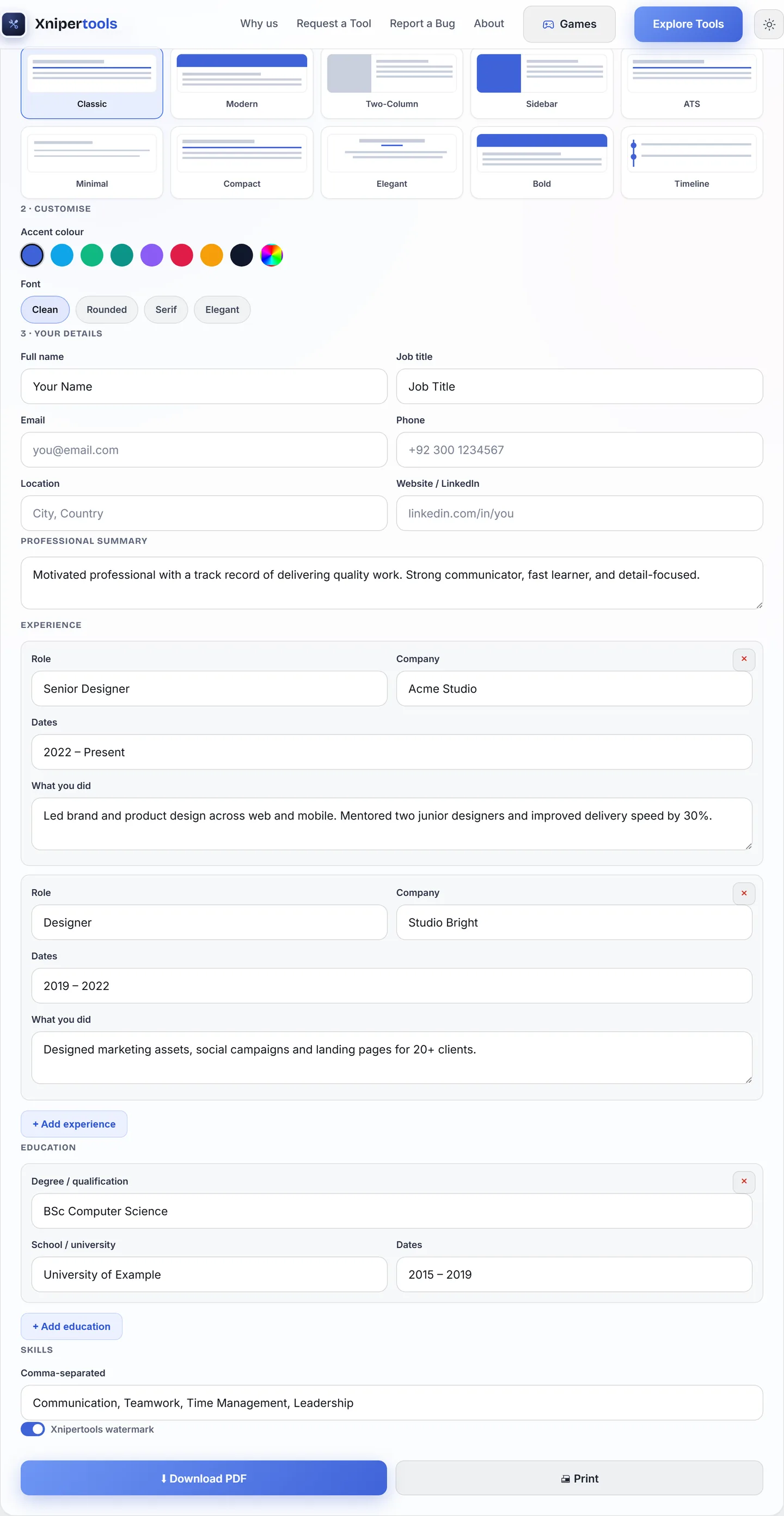
Our builder ships 10 templates. For online applications through job portals, use the ATS template — monochrome, single column, standard headings, zero decoration. The designed templates (Modern, Bold, Timeline) are for the other channel: a PDF handed to a human — email applications, referrals, walk-ins — where visual polish helps. Many of our users keep both versions of the same content, and that's exactly what we'd recommend.
Before you hit apply — the checklist
- ☑ Single column, no tables/text boxes/icons
- ☑ Contact details in the body, not a header
- ☑ Standard section names, consistent date format on every role
- ☑ 6–10 phrases mirrored from the job ad, honestly
- ☑ Bullets start with verbs and carry at least one number each where possible
- ☑ Exported as a text-based PDF (not scanned), filename Firstname-Lastname-Resume.pdf
- ☑ Copy-paste test into a text editor reads clean