Passport photos are one of those jobs that look trivial until an application gets bounced for "non-compliant photograph" and costs you another trip and another fee. The frustrating part is that the rules are strict but completely mechanical: a fixed print size, a fixed head size inside the frame, a plain background and a neutral face. Get those four things right and a phone photo taken at home is perfectly acceptable in most countries.
We built our Passport Photo Maker around exactly those rules, and this guide is the reference we use for it — the real sizes, the pixel equivalents, and the reasons photos get rejected.
Photo sizes by country and document
Most of the world standardised on 35×45 mm. The United States is the big exception with its square 2×2 inch photo. Here are the sizes we get asked about most:
| Country / document | Size (mm) | Size (inches) | Pixels @300 DPI |
|---|---|---|---|
| UK, Schengen (EU), Pakistan, Saudi Arabia, Turkey | 35×45 | 1.38×1.77 | 413×531 |
| United States (passport & visa) | 51×51 | 2×2 | 600×600 |
| India (passport & OCI) | 51×51 | 2×2 | 600×600 |
| Canada (passport) | 50×70 | 2×2.75 | 591×827 |
| UAE (residence visa) | 43×55 | 1.69×2.17 | 508×650 |
| Generic ID card / office use | 25×35 | 1×1.38 | 295×413 |
| "1×1 inch" (common in Asia) | 25.4×25.4 | 1×1 | 300×300 |
The rules that actually get photos rejected
Size is only half the game. Acceptance systems — human or automated — check the composition too:
- Head size: the face (chin to crown) should fill roughly 70–80% of the photo height. Too small is the single most common rejection.
- Background: plain white or off-white (light grey for some countries), with no shadows, patterns or objects behind you.
- Expression: neutral, mouth closed, both eyes open, facing the camera straight on.
- Lighting: even on both sides of the face. Stand facing a window in daylight; avoid overhead lights that cast eye shadows.
- Glasses: increasingly banned outright (US since 2016); where allowed there must be no glare and the frames must not cover the eyes.
- Freshness: most authorities require the photo to be under 6 months old and to look like you do now.
Taking the photo at home
- Have someone take the photo from about 1.5 metres away, phone at eye level. Arm's-length selfies distort the nose and face shape — a common automated-check failure.
- Stand half a metre in front of a plain wall so you don't cast a shadow onto it.
- Take several shots and pick the sharpest one with even lighting.
From phone photo to compliant photo
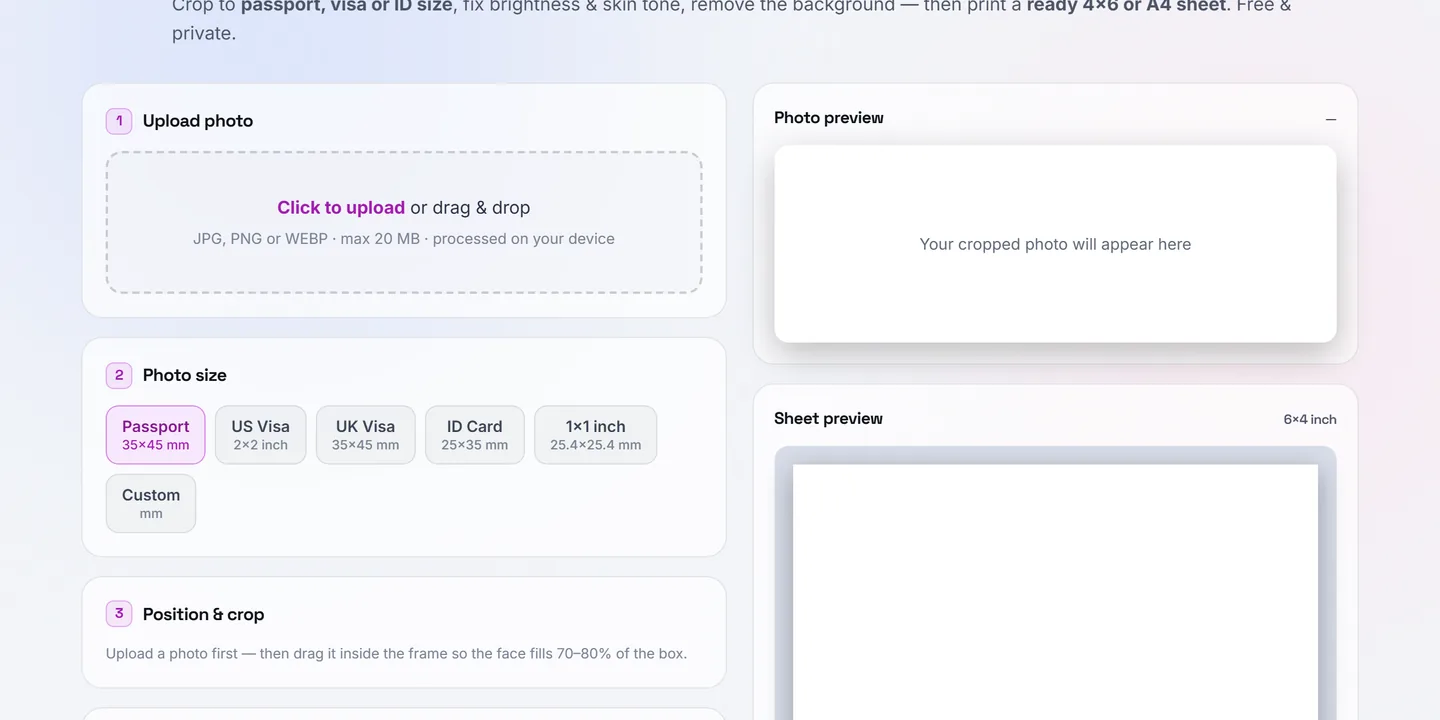
The tool walks the same order as this guide: upload, pick the size preset (35×45 mm, US 2×2", UK visa, ID card, or a custom mm size), then drag and zoom the photo inside a fixed-ratio frame with a face guide showing where the head should sit. You can fix brightness and warmth, smooth harsh phone-camera skin texture slightly, and replace the background with pure white — the whole pipeline runs in your browser, so the photo never uploads anywhere.
Printing: 8 photos on one 4×6 print
Photo studios charge per sheet, but the math is simple: a standard 4×6 inch print fits eight 35×45 mm photos (4 columns × 2 rows), and an A4 sheet fits 30. The tool lays the sheet out at 300 DPI with 3 mm margins and faint cutting guides, so you can order a single 4×6 print at any photo shop — usually the cheapest item on their price list — and cut out eight identical, correctly-sized photos.
If you are submitting digitally instead, download the single photo as JPG and check the portal's file-size limit — if it demands "under 100 KB", run the download through our Compress to Size tool with the exact KB target.
Digital submission sizes
| Portal type | Typical requirement |
|---|---|
| US DS-160 / online visa forms | 600×600 px min, square, JPEG, under 240 KB |
| Job application portals | Passport-ratio photo under 100–200 KB |
| University admission forms | 35×45 mm at 300 DPI (413×531 px), JPG |